Help centrePlans, offices and virtual offices
Set up the plans your space sells
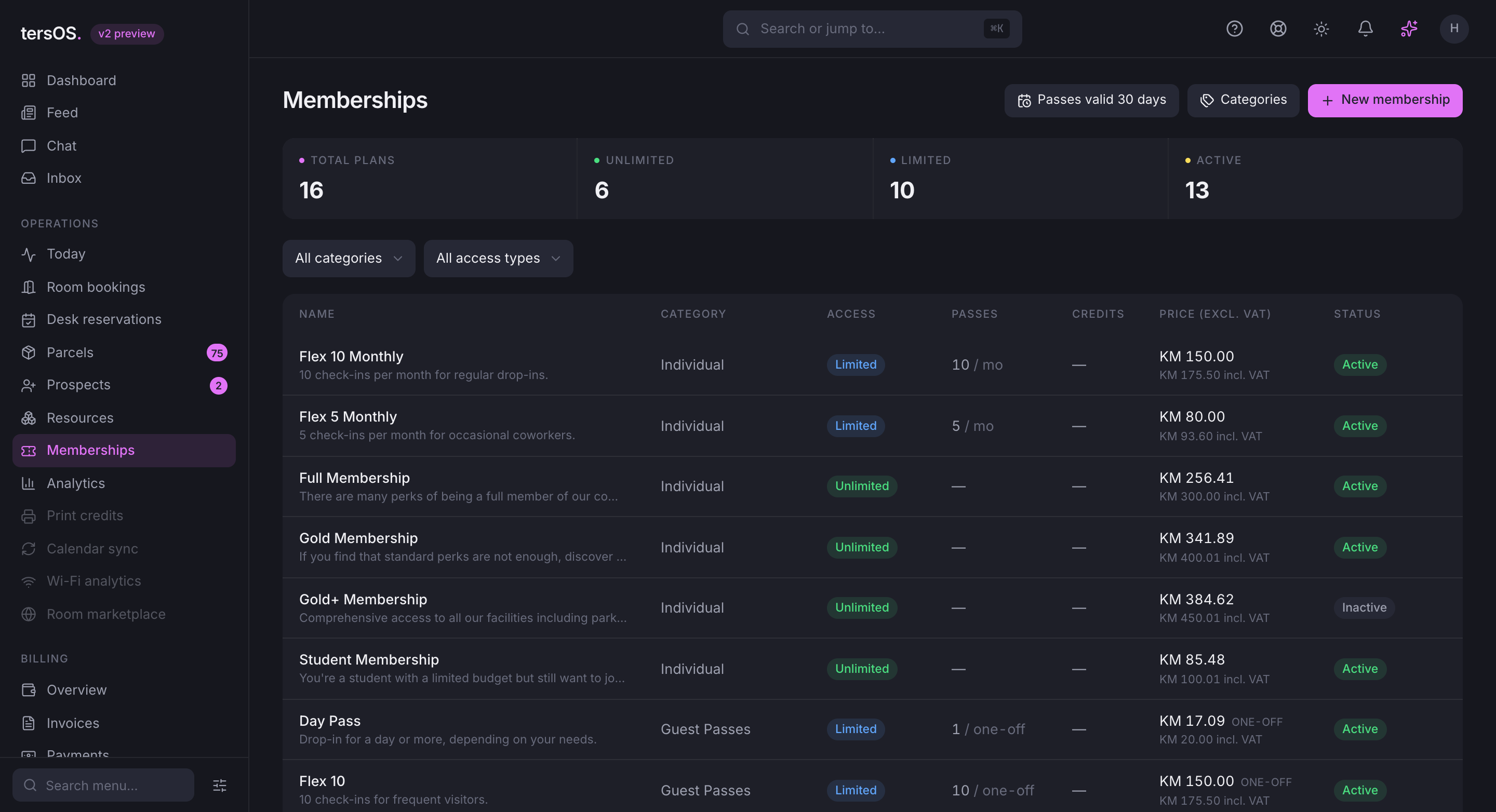
Each plan you sell, from a day pass to a yearly desk, is set up once on the Memberships page: what it lets people do, how often it is charged and what it costs. You then give it to members and companies with Add plan on their page. Owners, Managers and Front desk can create and change plans; Finance and Read-only can look at them.
Where
Operations → Memberships.
Steps
Create a plan
- Click New membership.
- Enter Name *, for example "Flex 10". Pick a Category if you group your plans.
- If you are looking at all locations, choose the location the plan is sold at under Location *. A plan is sold at one location and lets people in there only; it cannot be moved later.
- Add a Short description for listings.
- Under Access type * pick Unlimited access, Limited (pass-based), Pay per visit or No physical access.
- Under Billing cycle * pick One-time, Monthly, Quarterly or Yearly. The line below says what the choice does, for example "Charged every month. The passes refill each period." A pay-per-visit plan has no billing cycle.
- For a plan with passes, enter Passes included *: the number of passes per period, or in the pack.
- For a pack (Limited (pass-based) paid One-time), check Valid for (days). It is filled in with your space's number. Empty means the passes never expire.
- On a quarterly or yearly plan with passes you can set Allocation period to give the passes more often than the plan is charged, for example every month on a yearly plan. Same as billing cycle keeps them together.
- Under Booking credits enter Credits included if the plan comes with meeting-room credits. Switch on Allow credit debt if members may book beyond their credits and pay the difference on their invoice.
- Under Pricing choose Excl. VAT or Incl. VAT and type the price. The line below the field shows the other figure. For a pay-per-visit plan the field is Price per visit, and it is required.
- Leave Active on to offer the plan. Switch off Show on the public price list if it should not appear on your website and to visitors who ask the assistant.
- Add lines under Benefits — shown on the public membership page with Add benefit, and write the Full description.
- Click Create membership.
Offer the same plan with another way to pay
A plan can be bought in several ways, for example once or every month, at different prices. Each way is billed as a plan of its own, under its own name, and your price list shows them as one plan.
- Click the plan's row to open it.
- Under Ways to pay click Add a way to pay.
- Under How they pay pick the cycle. Each cycle can be used once per plan.
- Enter the Price and, for a plan with passes, the Passes for this way to pay.
- Click Add. The new way is named after the plan, for example "Flex 10 Monthly".
To turn a plan you already have into a way to pay for this one, pick it under Use an existing plan and click Use. It keeps its name, price, members and agreements. Detach makes a way to pay a plan of its own again.
Group plans in categories
- Click Categories.
- Type the name under New category name… and click Add.
The pencil renames a category. A category can be deleted once no plan is in it.
Set how long passes are valid
- Click Passes valid … days at the top of the page.
- Enter the number under Valid for (days) and click Save.
What happens next
The plan is in the list with its access, passes, credits and price. Price (excl. VAT) shows the price without VAT, with the price including VAT below it. Active plans appear in Add plan on members' and companies' pages, and pay-per-visit plans and packs are offered there too.
Good to know
- Access type and Billing cycle cannot change while anyone holds the plan, nor the access type while the plan has other ways to pay. Make a new plan and move people to it instead.
- A new price applies to plans you give from now on. Agreements that already charge the plan keep the price they were created with; change them under Billing → Recurring revenue.
- A new number of passes or credits reaches current holders at their next refill.
- A way to pay is sold at the same location as its plan and gives the same access. A pay-per-visit plan cannot have other ways to pay.
- In a space with more than one language, the language picker at the top of the panel lets you translate the name, descriptions and benefits for the public price list. Invoices, agreements and the app use the plan's own text.
Questions
How do I stop selling a plan? Open it, switch off Active and click Save changes. It no longer appears in Add plan or among the plans an agreement can change to, and the people who hold it keep it. You can also remove a single way to pay by switching it off.
Why can't I delete a plan? Delete works only for a plan nobody has ever held and no agreement sells, and only after its ways to pay are removed or detached. Any other plan stays in the list for its history; switch it off instead.
What is the difference between a day pass and a pack? None in setting up: both are Limited (pass-based) plans paid One-time. A day pass has one pass, a pack has more.
Related
Last reviewed on 26 November 2026