
03 — memberships
Plans that flex.
Tabs that close themselves.
Flexible plans for freelancers, teams, virtual offices and day-pass members, with bookings and extras tracked automatically and rolled into one invoice.
 Live · app.tersos.io
Plans
A plan sets the access, the passes and credits, the price and the billing cycle.
Plans sit in categories such as individual, team, company or guest pass. Each plan gives unlimited access or a number of day passes, can include booking credits, and bills one-off, monthly, quarterly or yearly at a net price. Its benefits and cover image appear on your public pricing page.
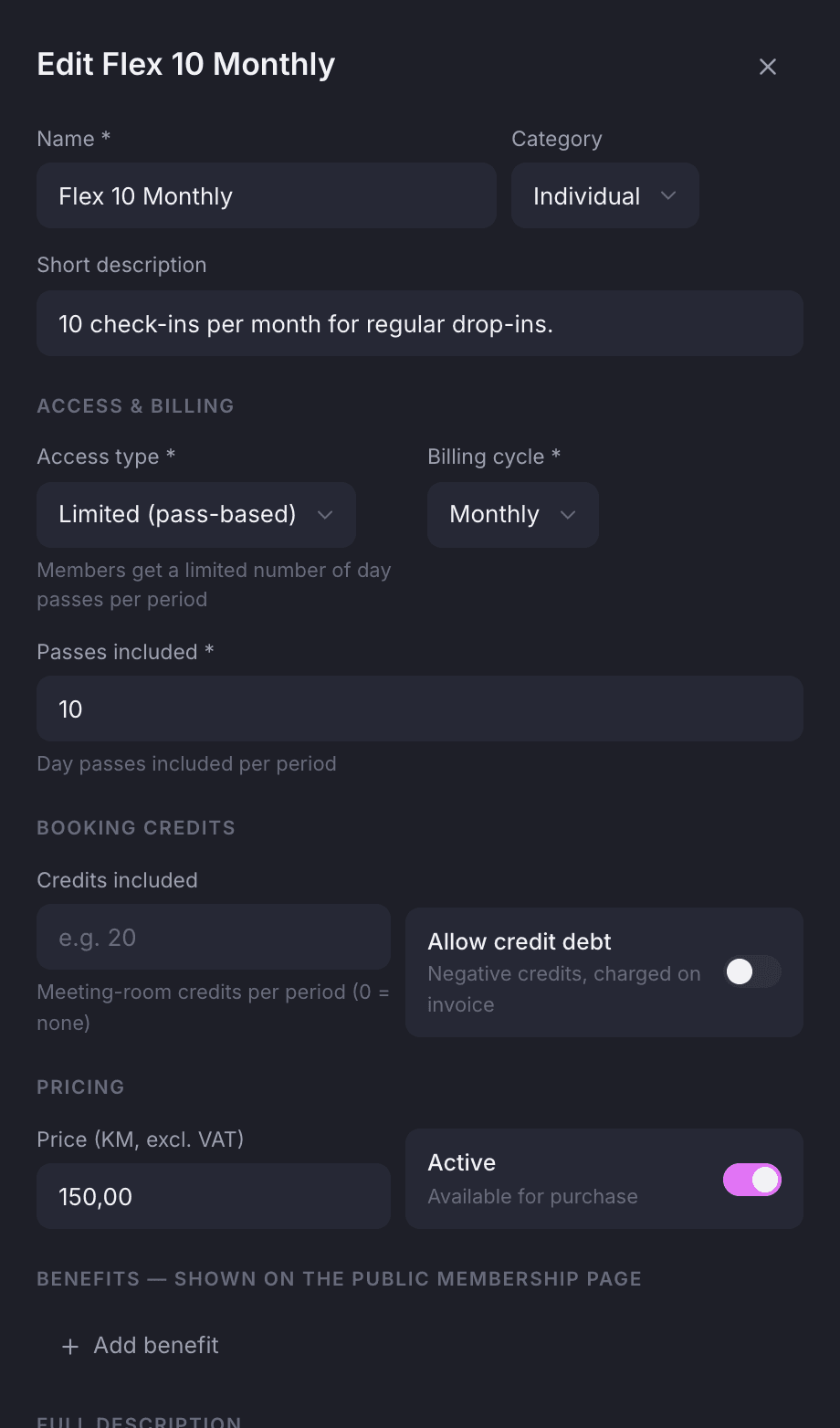
Set up each plan from one sheet.
Give the plan a name, category and description, then set the access type, billing cycle, passes included and booking credits. Add a net price and the benefits you want shown on your public pricing page.
- Categories group your plans on the public pricing page
- Access type and billing cycle are set separately
- Let members go into credit debt on a plan; it lands on their invoice
Passes and credits
Day passes and booking credits are two separate wallets.
Passes let a member into your space; credits pay for rooms. Each has its own balance and history, on the member or on their team, and both reset every month on their own. The front desk tops up passes from the profile and adjusts credits with a note.
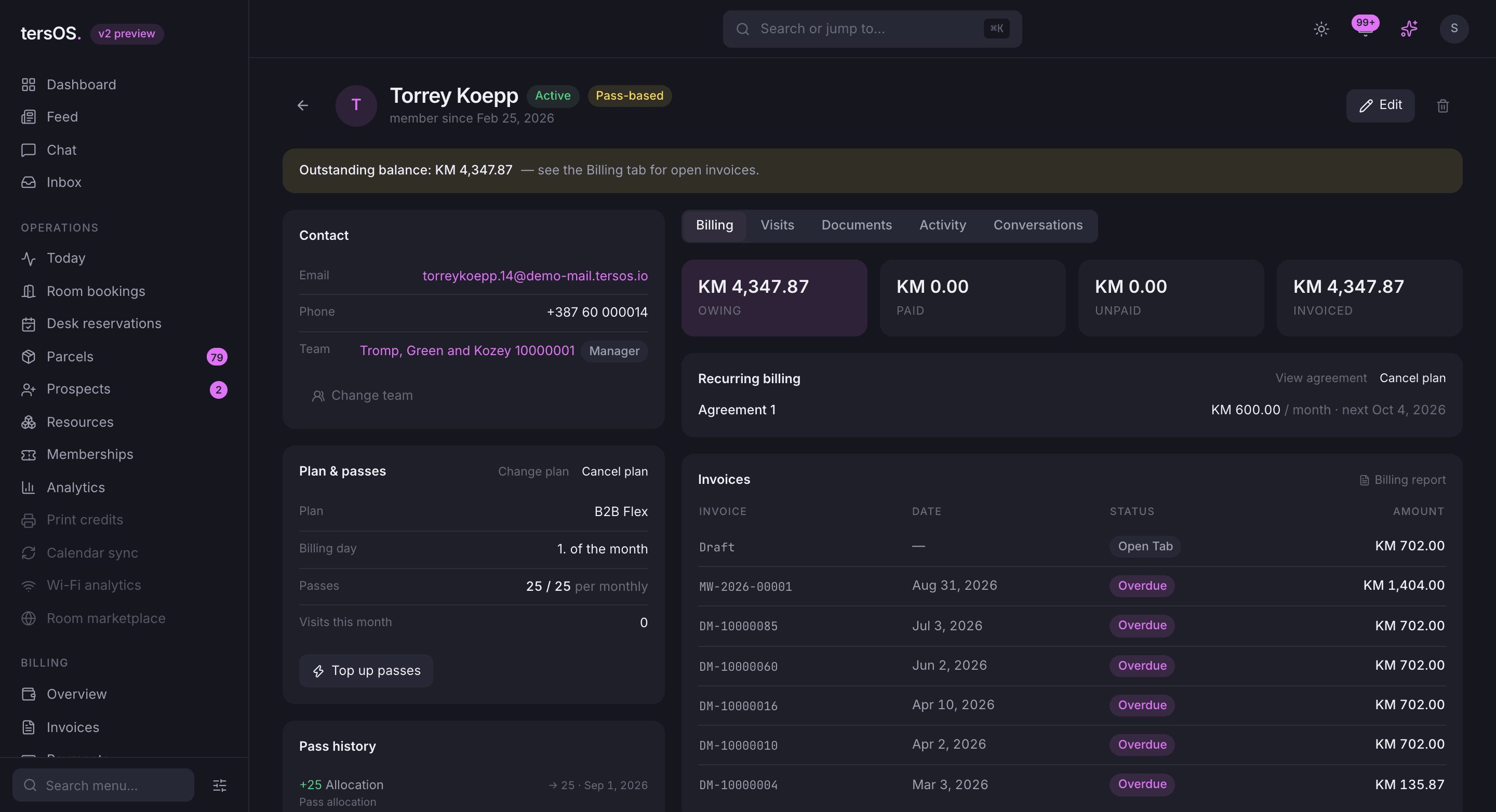
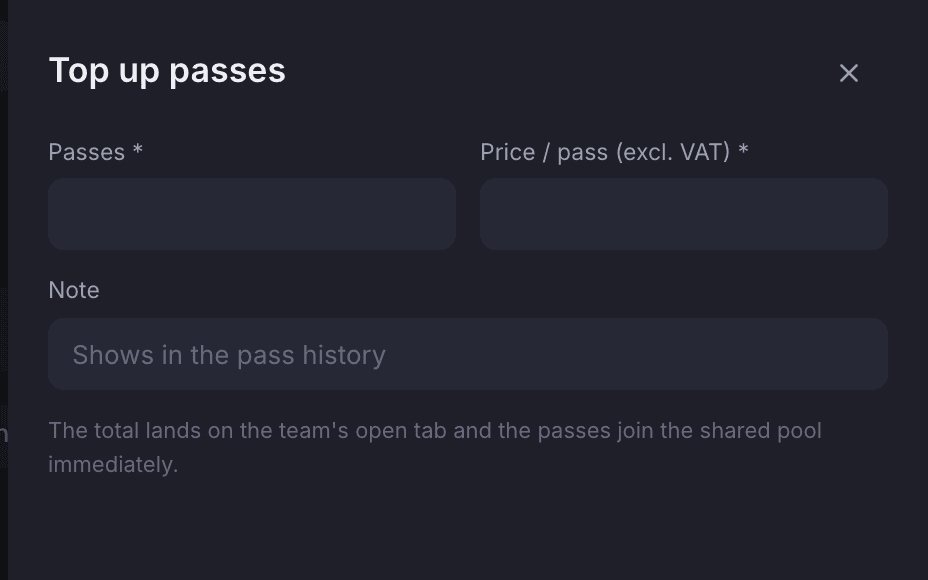
Top up from the profile
The cost lands on the member’s open tab and the passes are ready to use at once.
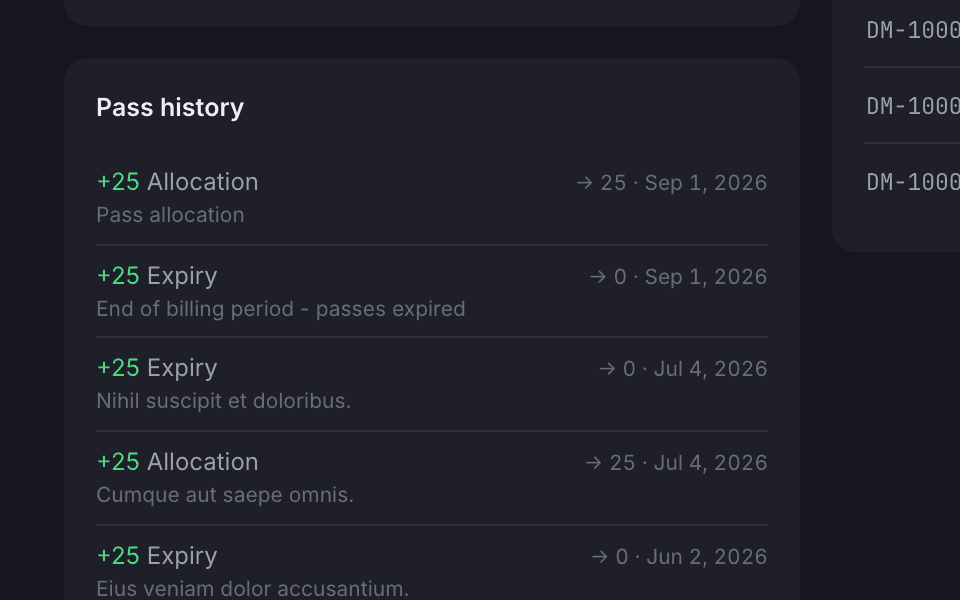
Every top-up and expiry is listed
See every allocation, expiry, top-up and adjustment, with the balance after each.
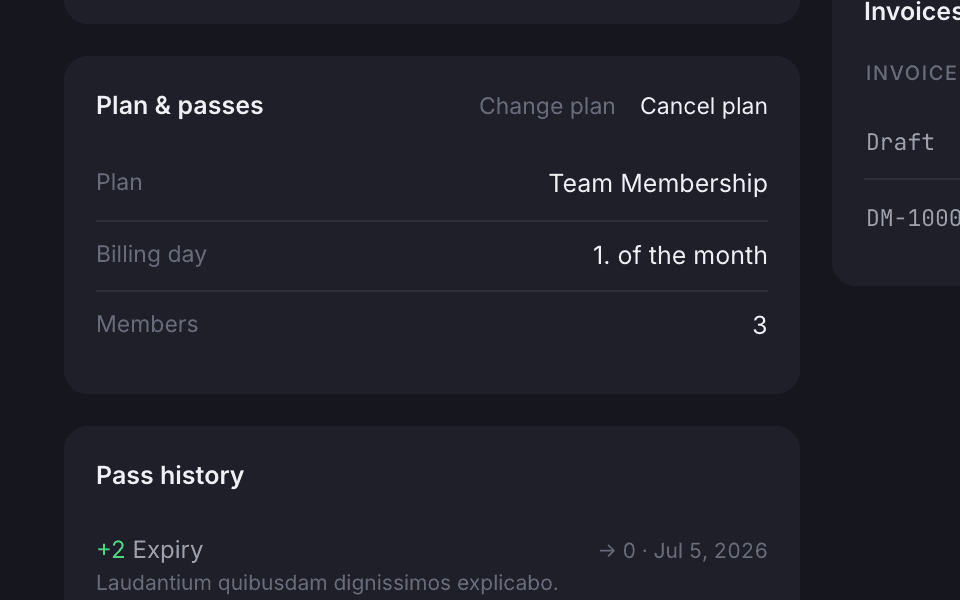
Teams share a wallet
A team has its own passes and credits, and each booking shows which member used them.
Billing agreements
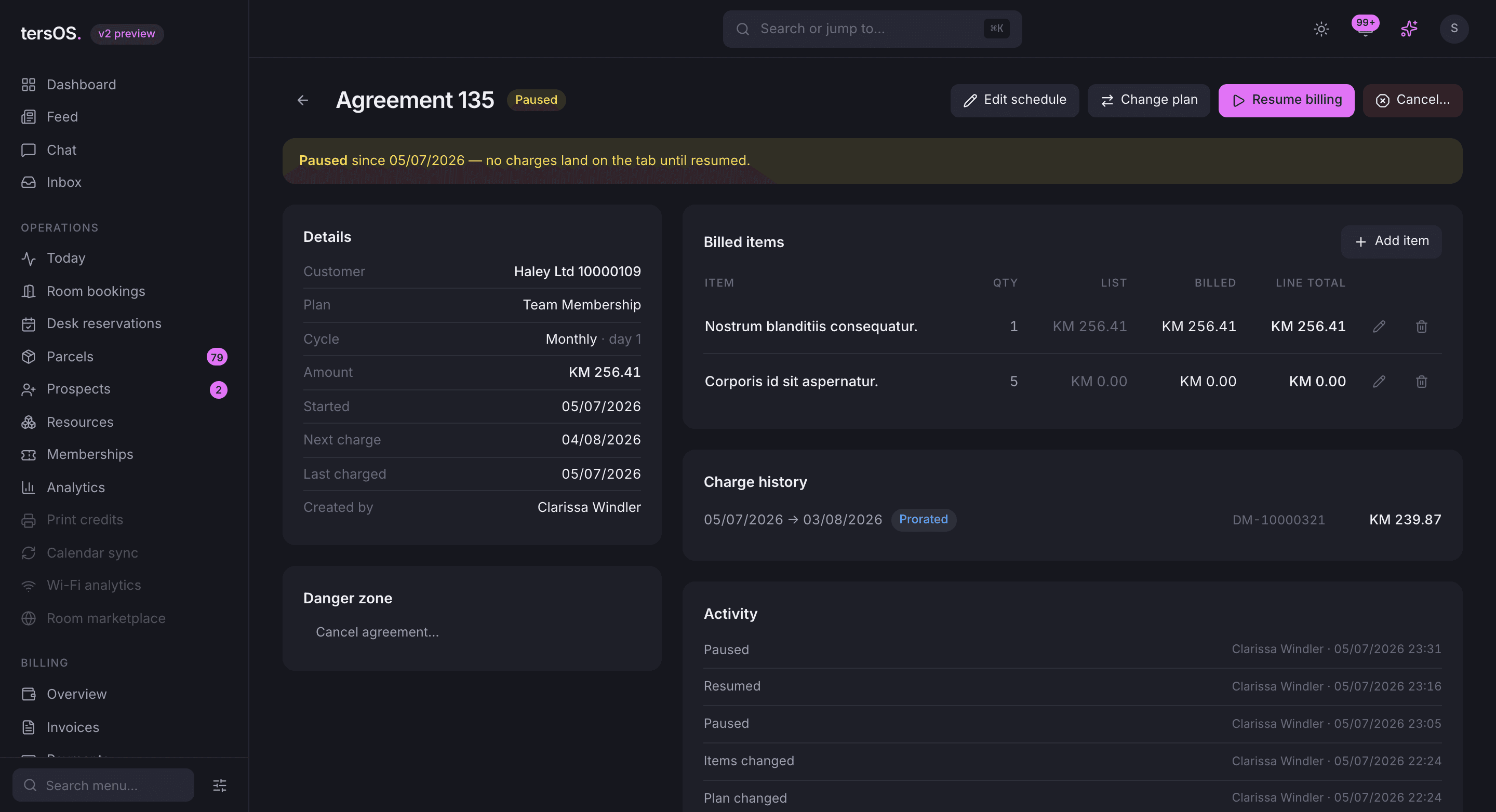
Recurring charges run from an agreement that can be paused, resumed or moved to another plan.
An agreement belongs to a member, a team or a client and charges a membership, a service, a virtual office or a custom line on the billing day you choose, monthly, quarterly, every six months or yearly. Pause it and the charges stop; change the plan mid-cycle and the difference is prorated.
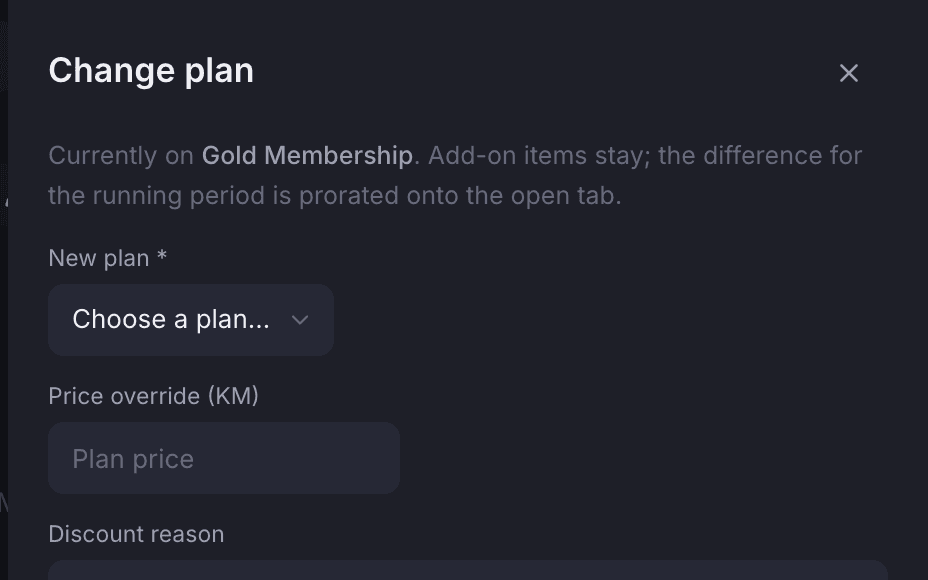
Change plan mid-cycle
Add-on items stay, and the difference for the current period is prorated onto the tab.
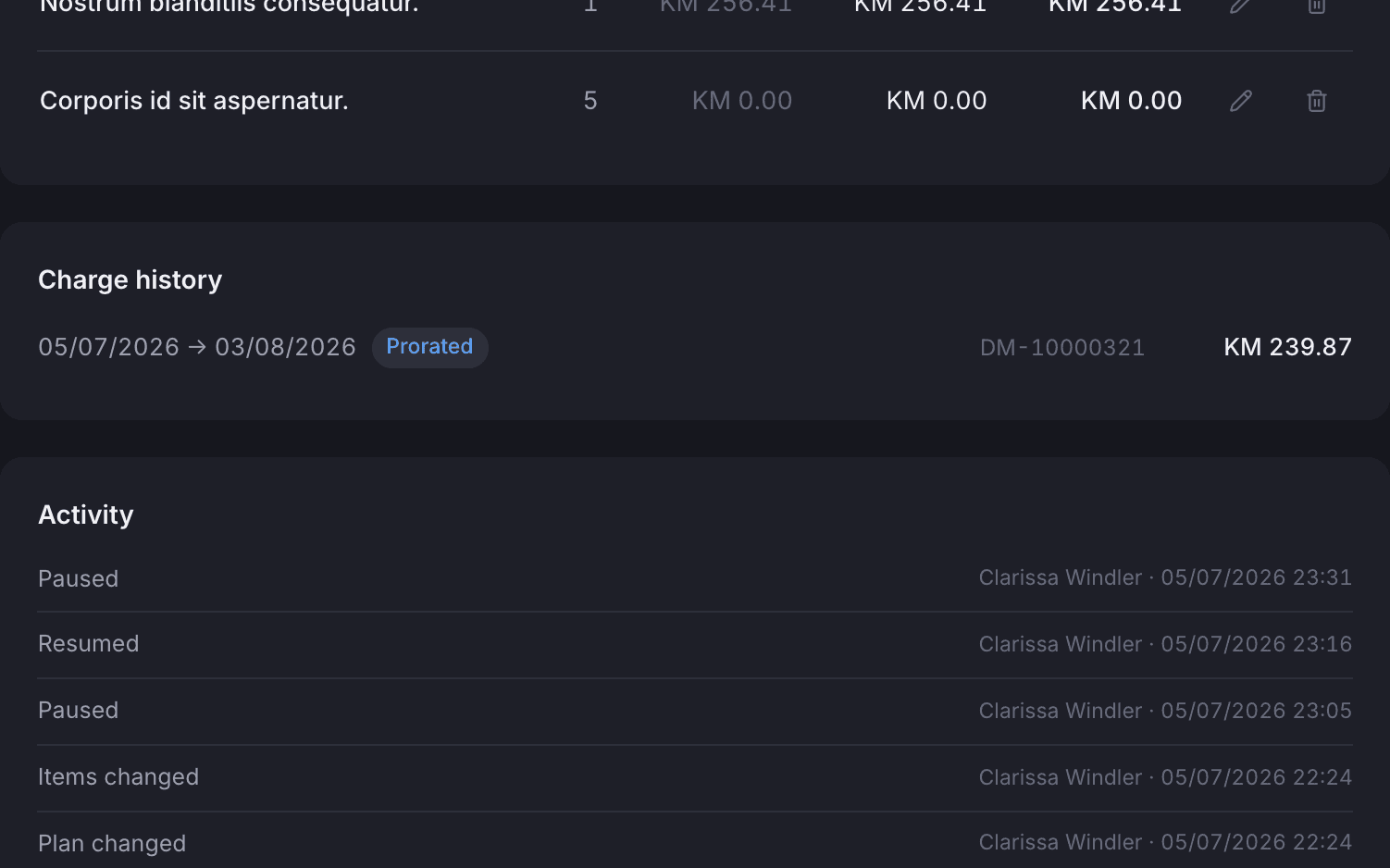
Who changed what, and when
Every pause, resume, plan change and prorated charge shows who did it and when.
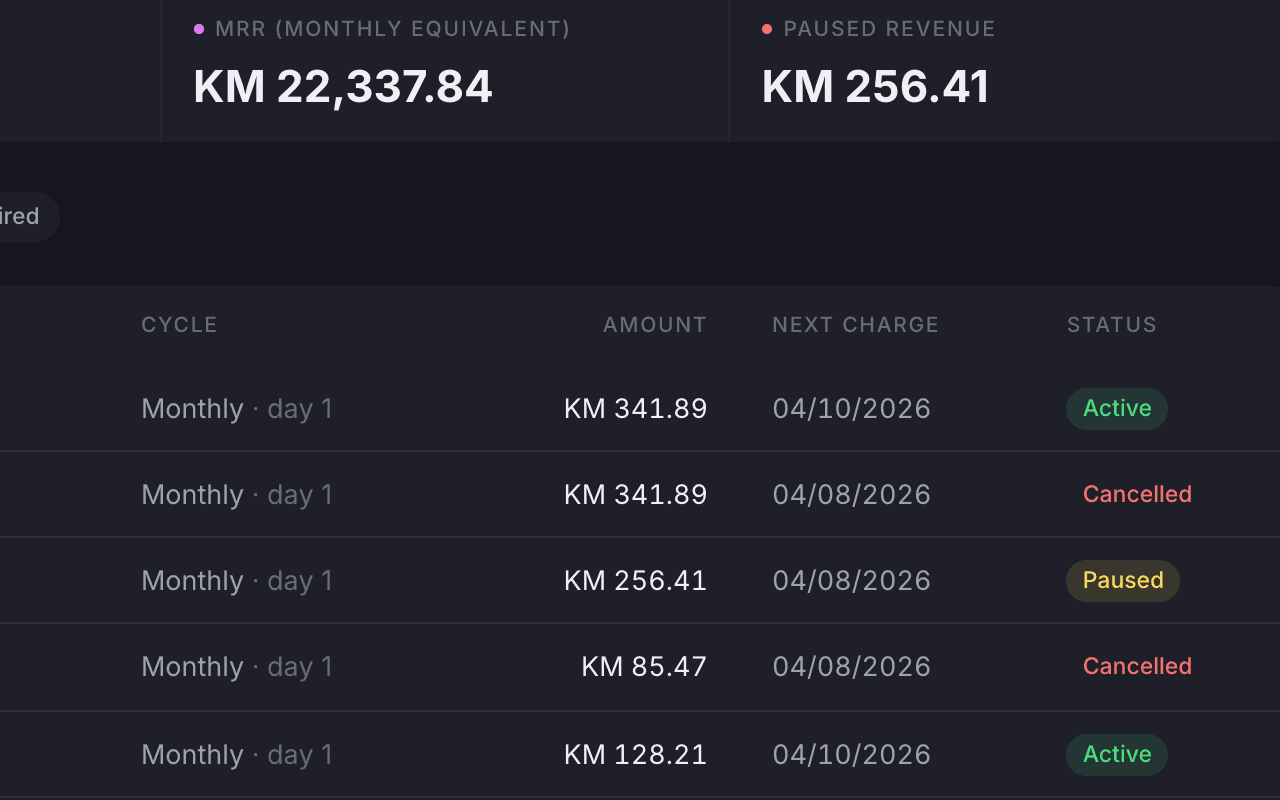
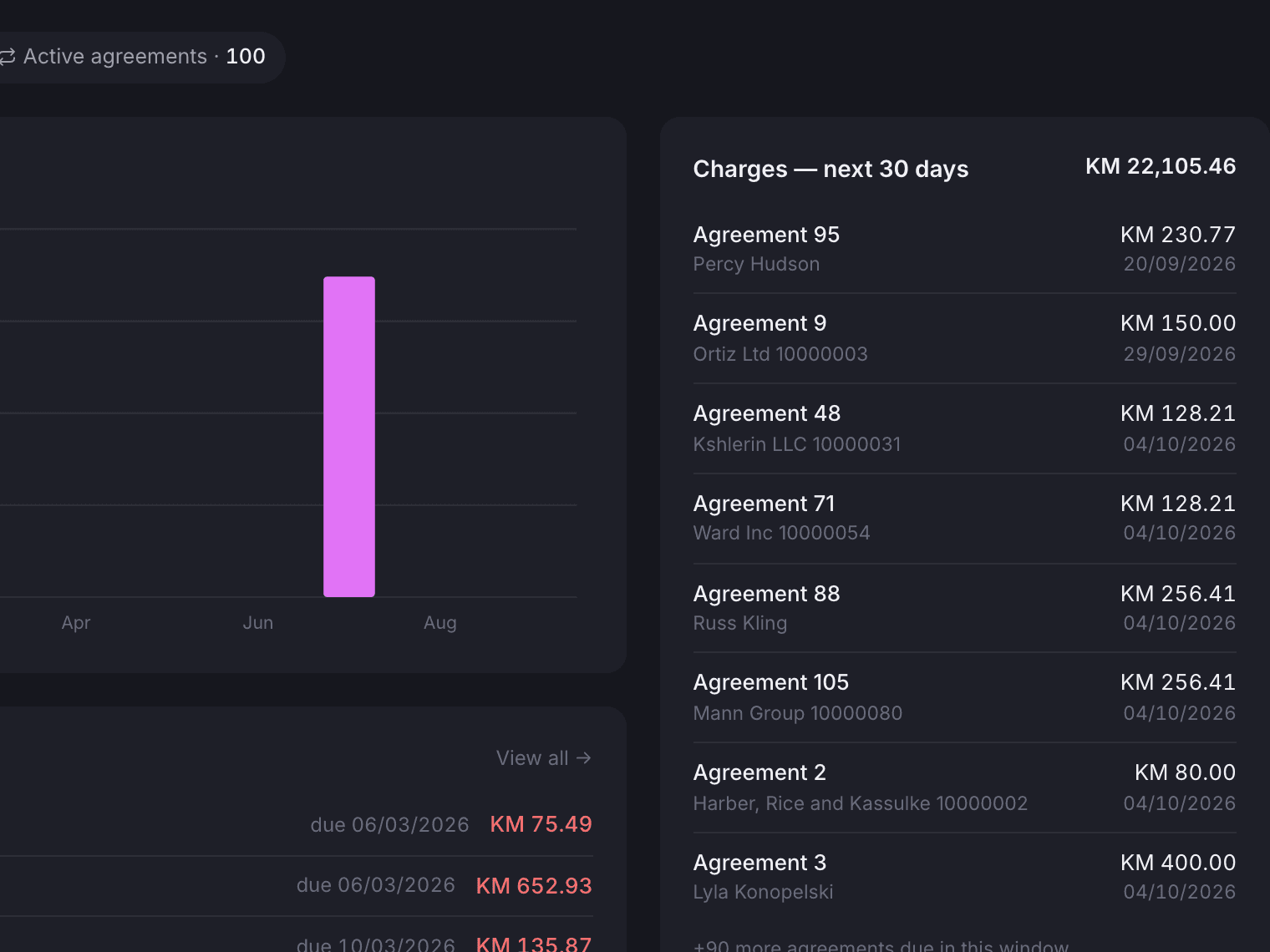
Recurring revenue in one list
Each agreement shows its cycle, amount, next charge and status, with a monthly total.
Open tabs and invoices
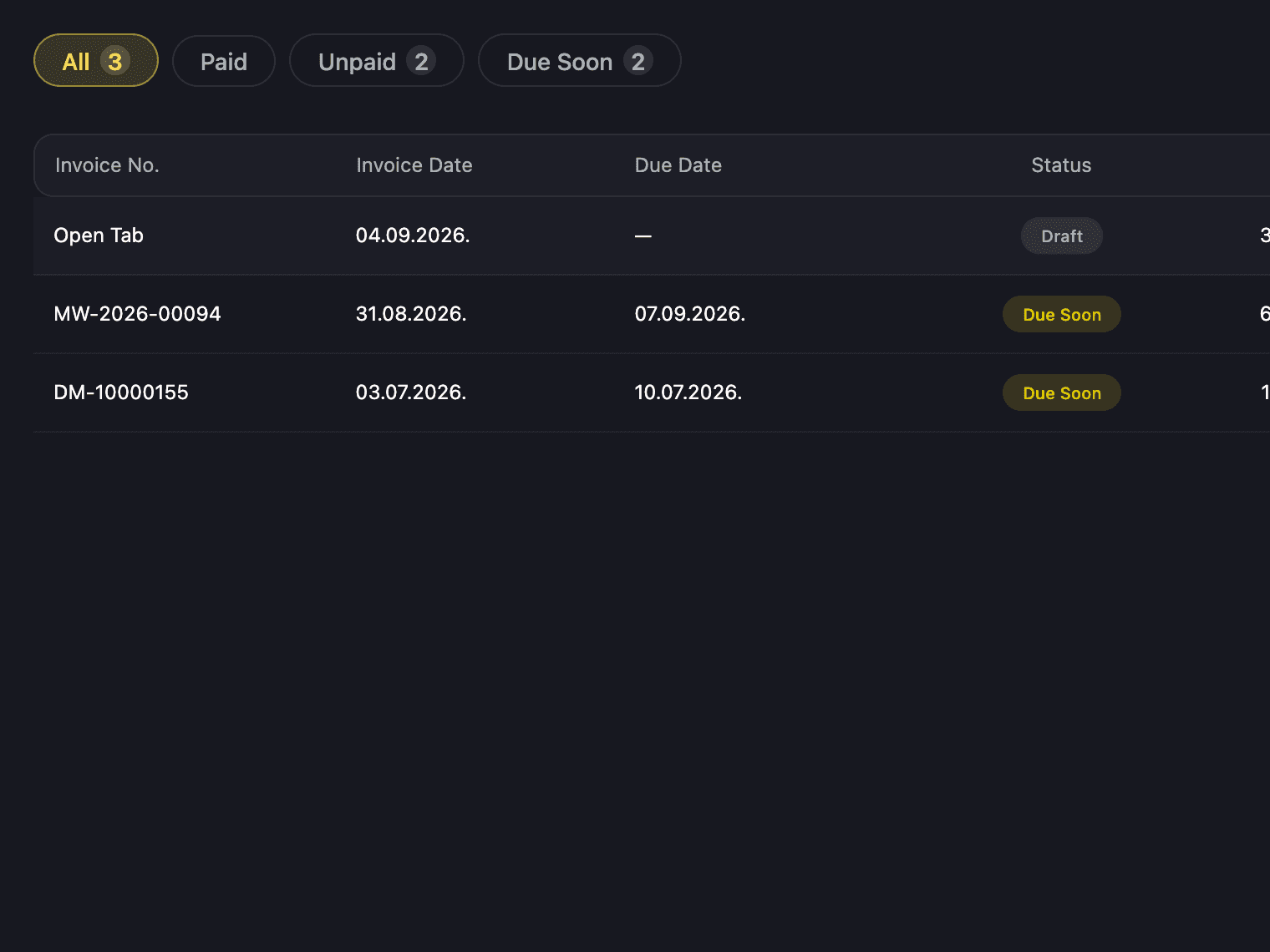
Every member has a running tab for the month, and it closes into an invoice.
A tab opens at the start of the month and every charge and extra lands on it. At month end, or whenever you choose, it closes into a numbered invoice. Invoices can be sent, resent, voided, written off or credited, and you mark them paid when the money arrives.
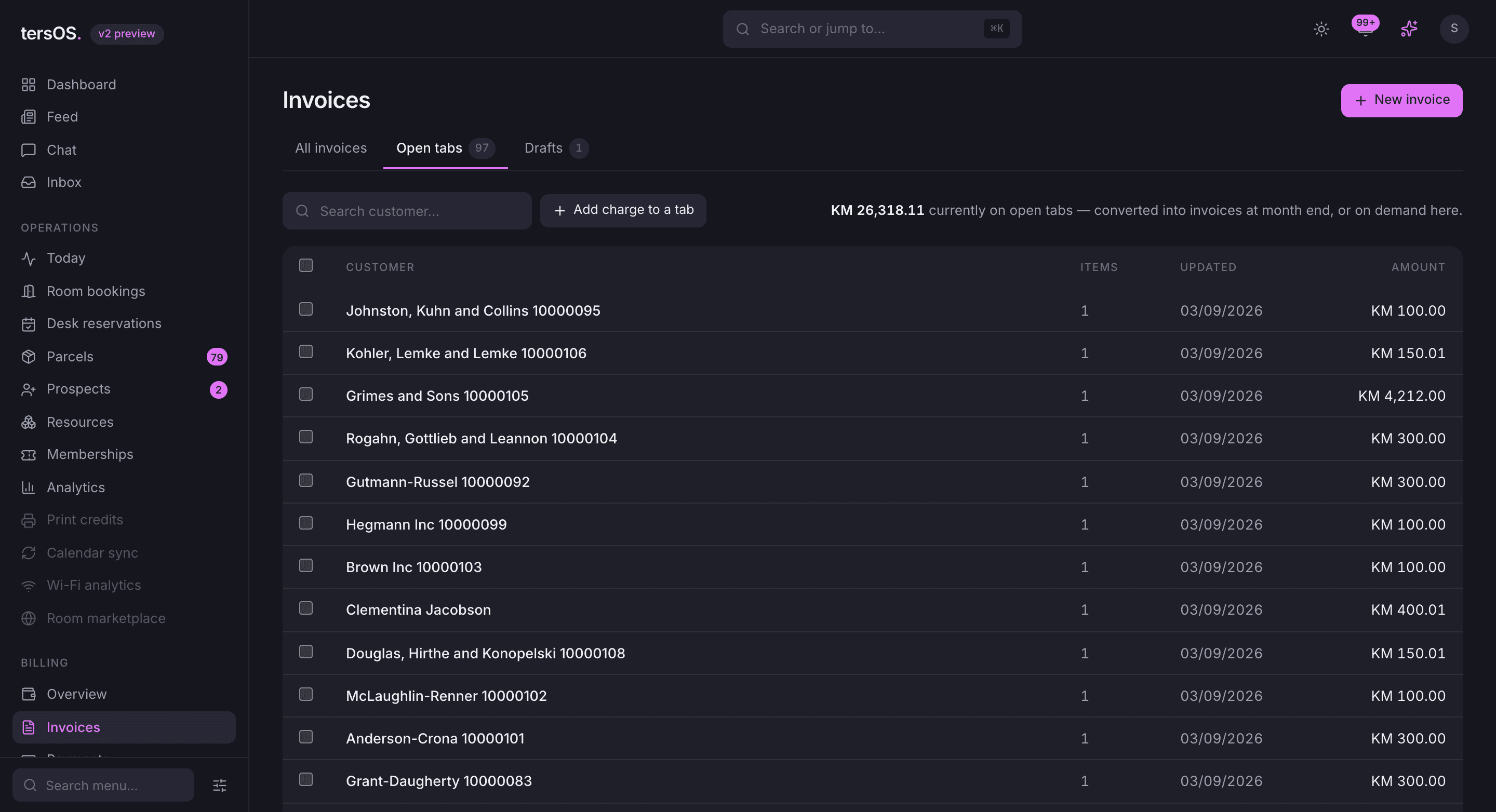
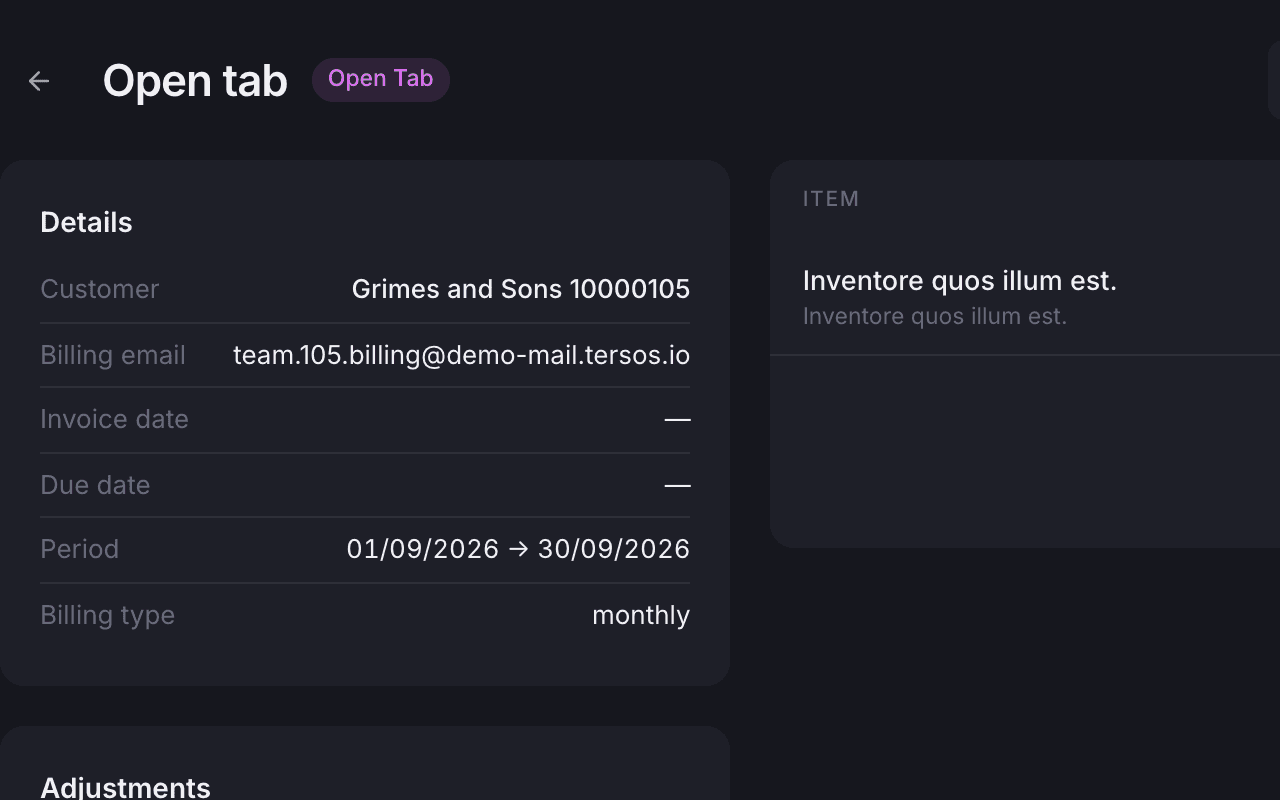
Close the tab and send it
Closing the tab numbers the invoice and sends it, or saves it as a draft first.
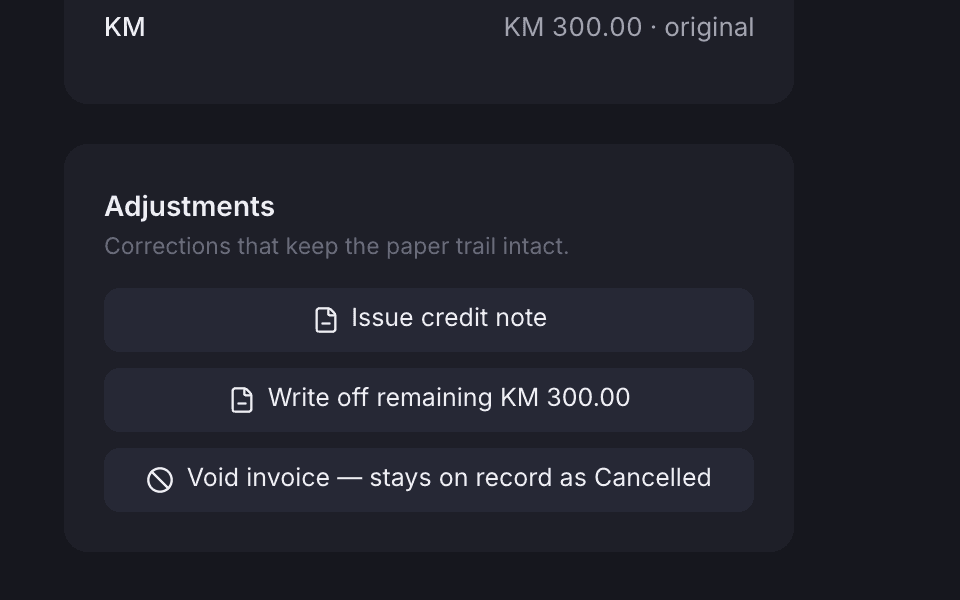
Corrections keep the paper trail
A credit note, a write-off or a void is kept on the invoice, with who did it and when.
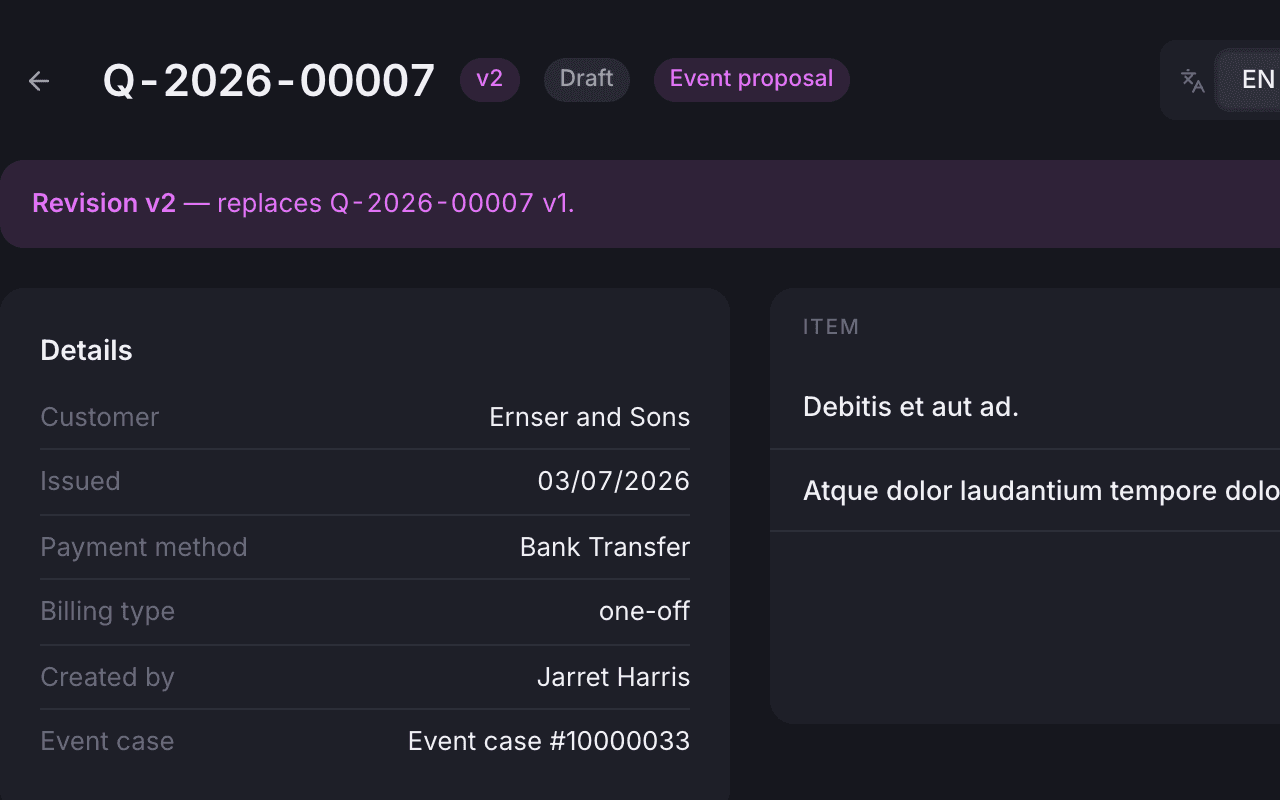
Quotes with revisions
Send a quote, mark it accepted or declined, revise it, or turn it into an invoice.
Bank statements
Upload the bank statement and the payments are matched to invoices.
Upload your bank statement and tersOS reads each incoming payment and suggests the invoice it belongs to. Confirm the clear matches in one click and check the rest by hand. Your bank can also email statements straight to a private address, so there is nothing to upload.
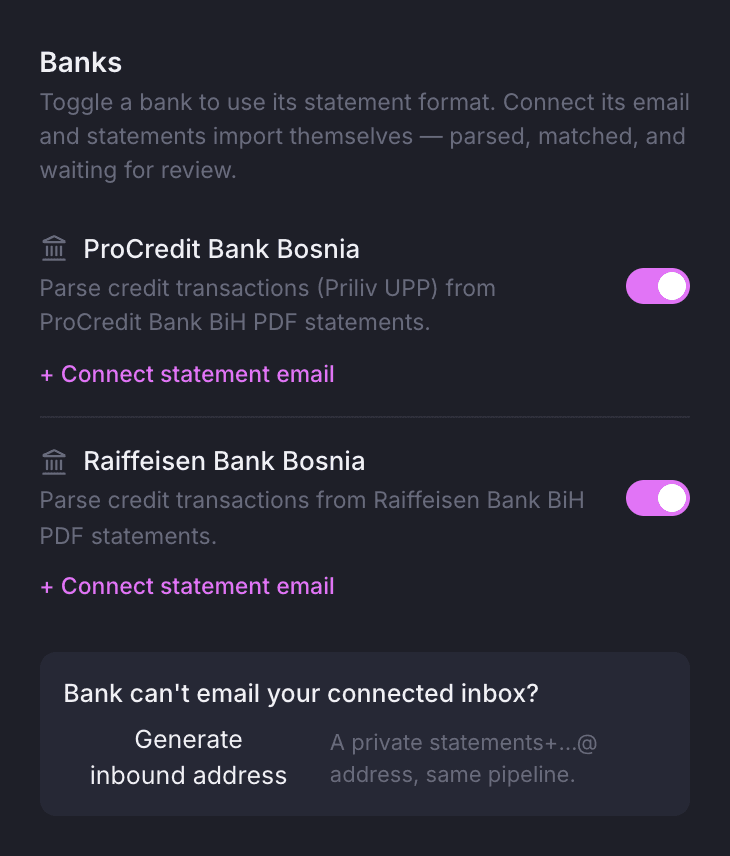
Pick your banks and give them an address for statements.
Turn on the banks you use, then connect the email your bank sends statements to, or create a private address they can send to instead. Either way the statement arrives read and matched, ready for review.
- Confirm the clear matches in one click
- Match the rest by hand, mark them unmatched or dismiss them
- tersOS marks the payment on the invoice; it does not collect the money
Virtual offices
Virtual offices are a product of their own, with allowances that count down.
A package has a monthly net price with a number of day passes and meeting minutes included. Each subscription gets that allowance every period, counts it down as it is used, and bills through the same agreements and tabs. Onboarding takes you from documents to contract.
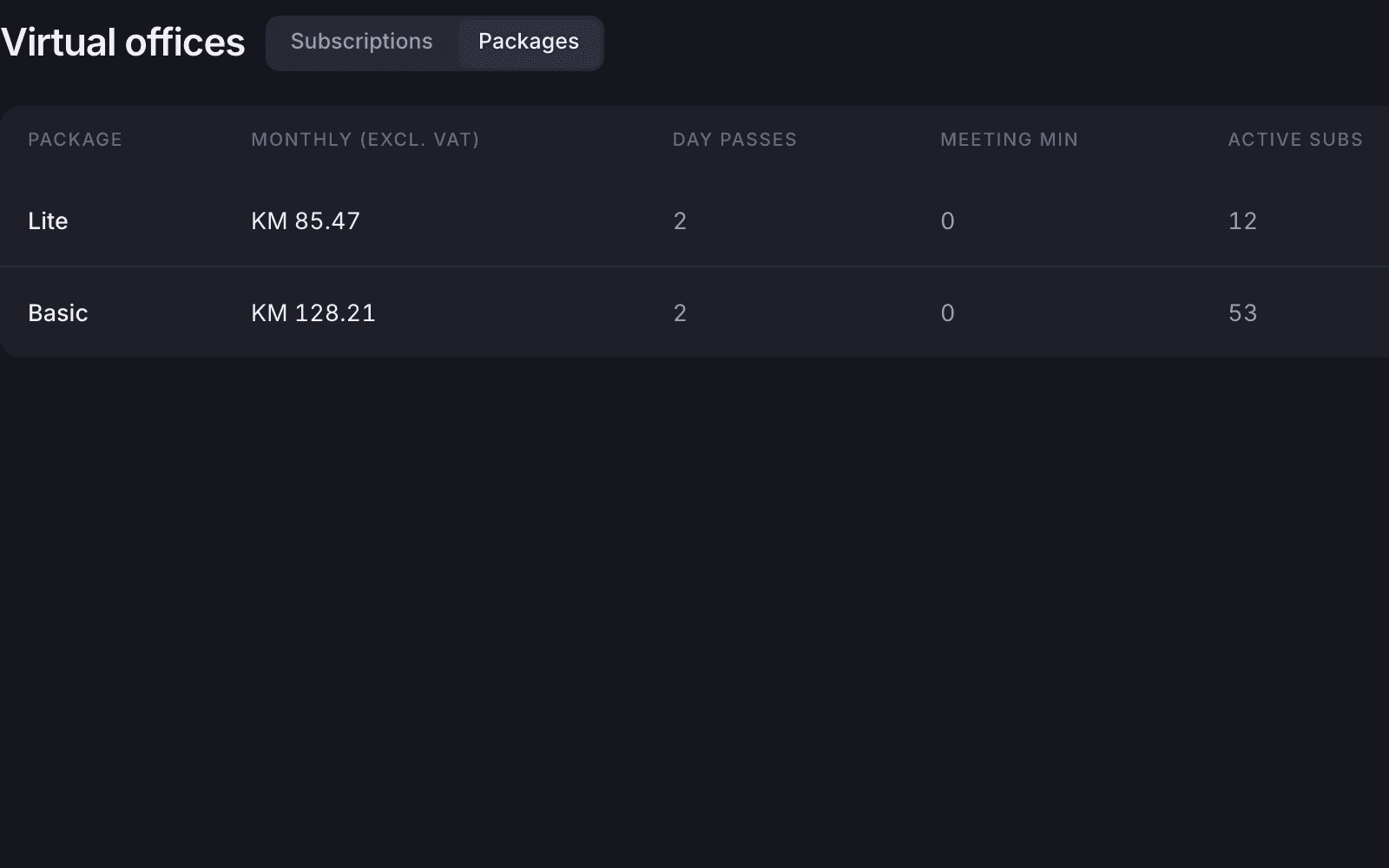
Packages
Each package shows its net price, day passes, meeting minutes and how many are on it.
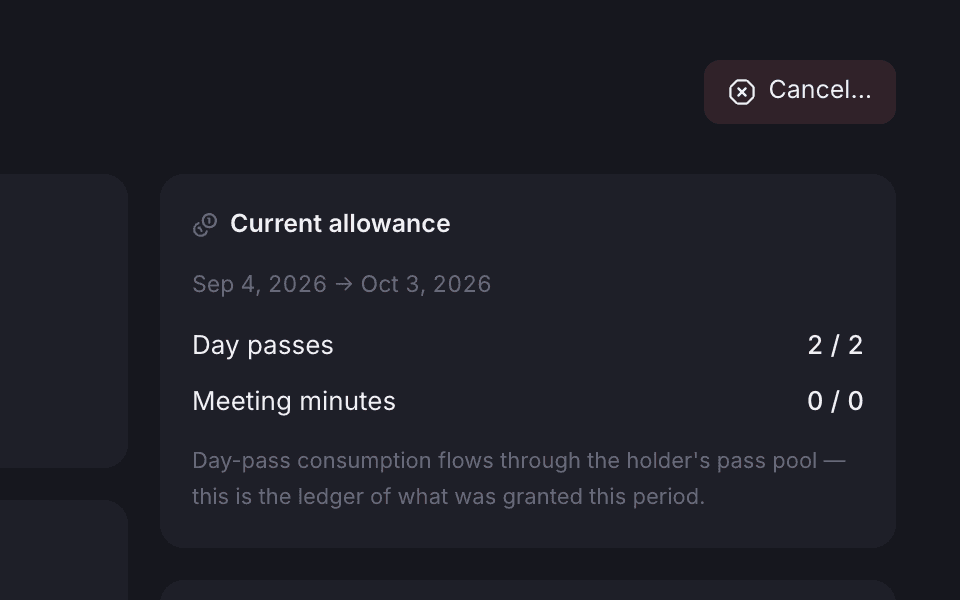
The allowance this period
See the day passes and meeting minutes for this period, and how many are left.
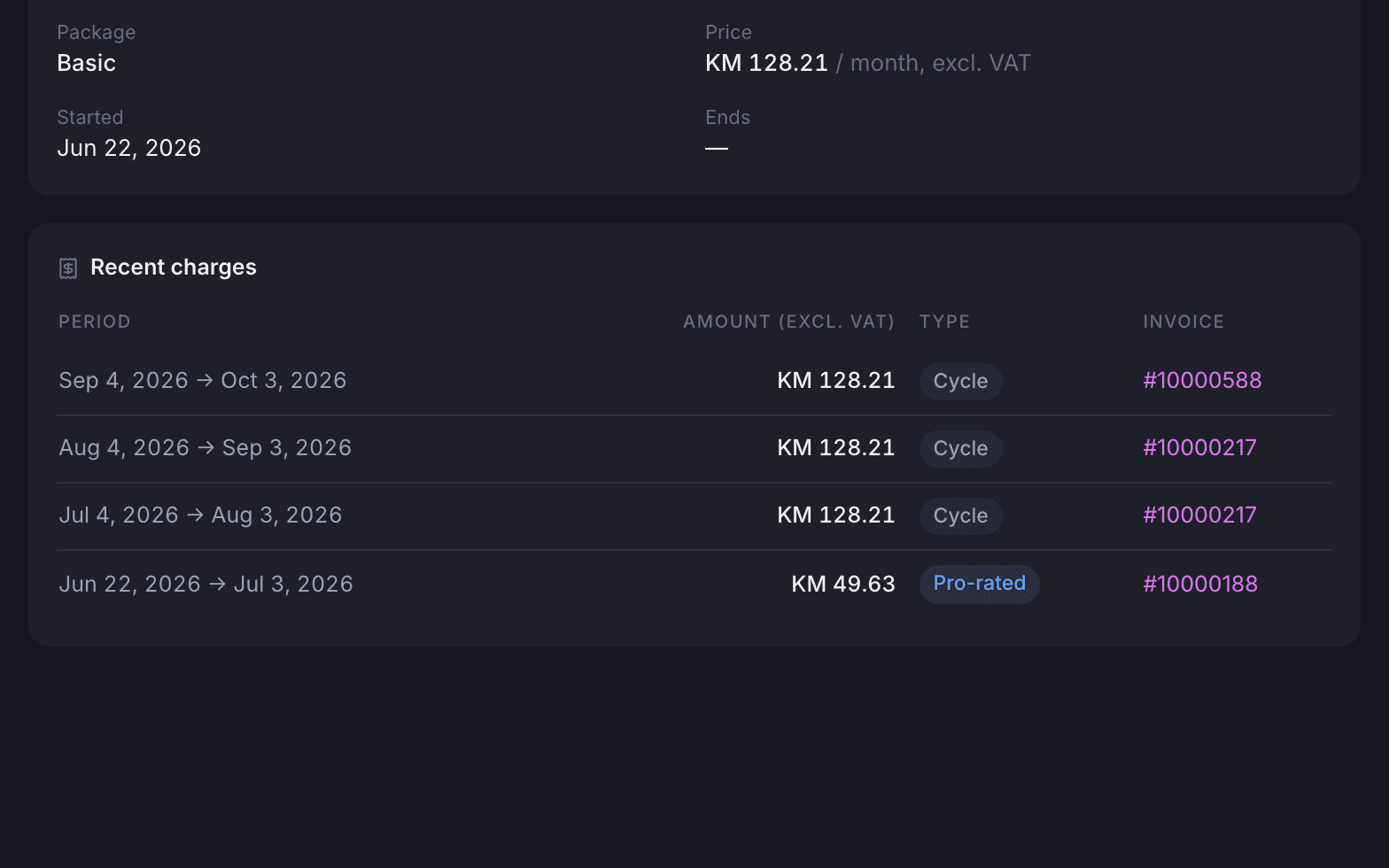
Charges per period
The first period is prorated, then each month is charged and linked to its invoice.
Where it shows up
The same plan, tab and invoice, wherever you look.
The plans you set up in the backoffice are the ones your Public Hub pricing page shows. Members see their own invoices and credit history in the Member App, and team admins see the team’s. tersAI reads the same open tab, so everyone is looking at the same numbers.

Also included
The rest of what Memberships does.
Plans
- Categories, benefits, a cover image and a net price per plan
- One-off, monthly, quarterly or yearly billing cycle
- Credit debt allowed per plan, if you want it
- Passes and credits reset on their own schedule each month
- Adjust credits by hand, with a note and who did it
- Public pricing lists for individual and company plans
Agreements and invoices
- Agreements for members, teams and clients
- Agreements with several lines and editable add-on items
- Cancel an agreement and keep its full history
- A catalogue of services shared by invoices, quotes, tabs and agreements
- The same invoice shown in a second currency at a rate you set
- Mark several invoices paid at once
- Overdue invoices flagged and chased with reminders, plus a daily digest
Payments and the app
- Turn statement reading on or off for each bank you use
- A billing summary per member and per team, with an emailable PDF report
- Invoice PDFs and payment history in the Member App
- Team invoices for team admins
- Guided virtual office onboarding, from documents to contract
A coffee on the tab
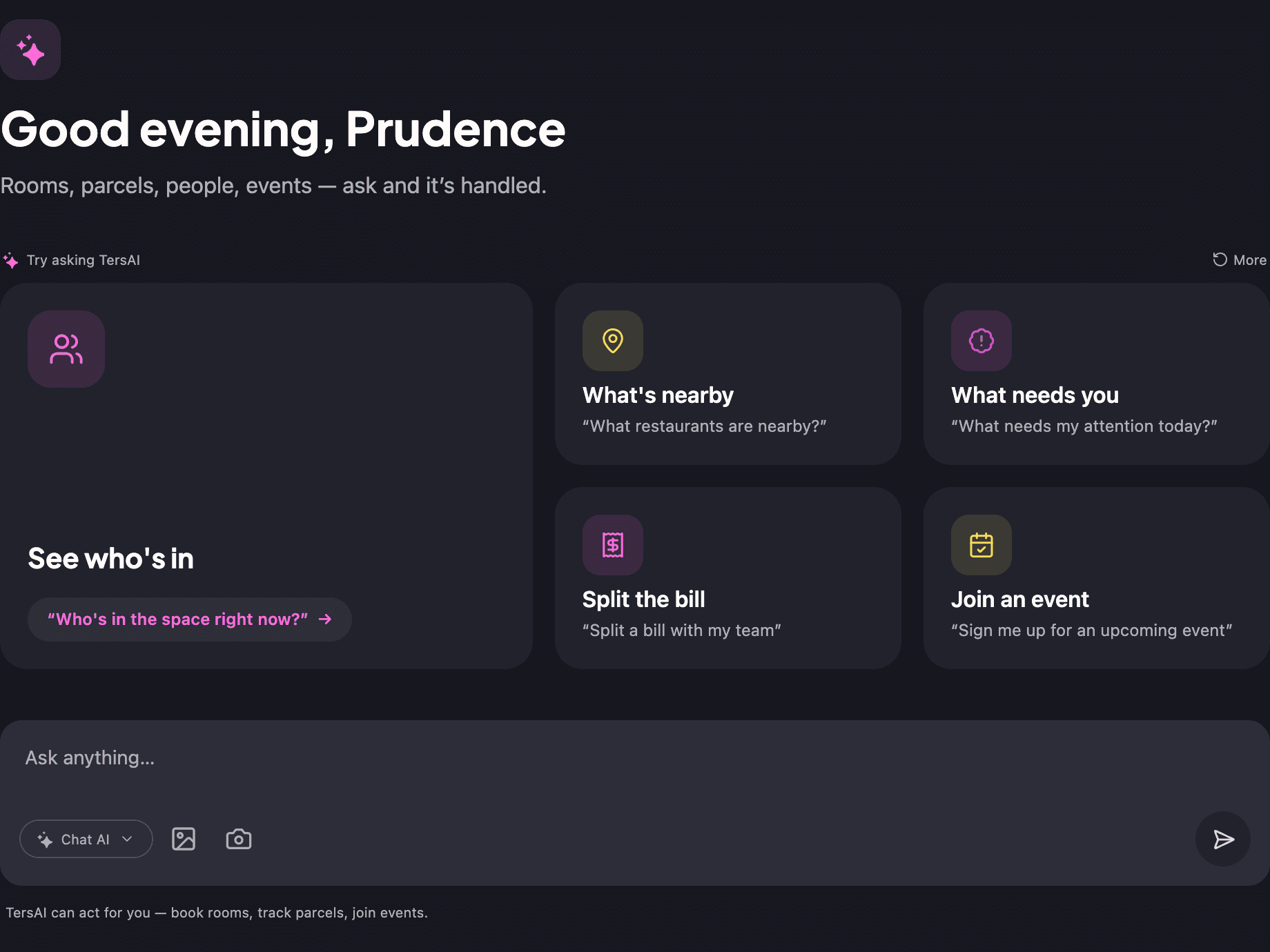
A member adds a coffee to their own tab, and splits lunch with the team, from tersAI.
tersAI prices the item from your catalogue and puts it on the member’s open tab, so it lands on the month-end invoice like anything else; no card is charged. A shared cost is split across several members’ tabs, shown as a preview first and posted only when the member confirms.
“Put a coffee on my tab.”
tersAI — Done. One coffee at the catalogue price is on your open tab, so it goes on your invoice at the end of the month.
“And split today’s lunch order across the four of us.”
tersAI — Four equal shares, one on each teammate’s tab. Here is the preview; nothing is posted until you confirm.
an item added to the tab and a bill split, confirmed in chat
“Month-end used to take hours. Now it takes care of itself.”The tershouse team, Sarajevo
Works with
Memberships is one of ten modules.
Bookings →
Rooms are priced in credits and charged from the member’s or the team’s wallet.
Member App →
Members see their plan, passes, invoices and credit history; team admins see the team’s invoices.
tersAI →
Members add items to their own tab and split a bill in chat, with a confirm step before anything is posted.